
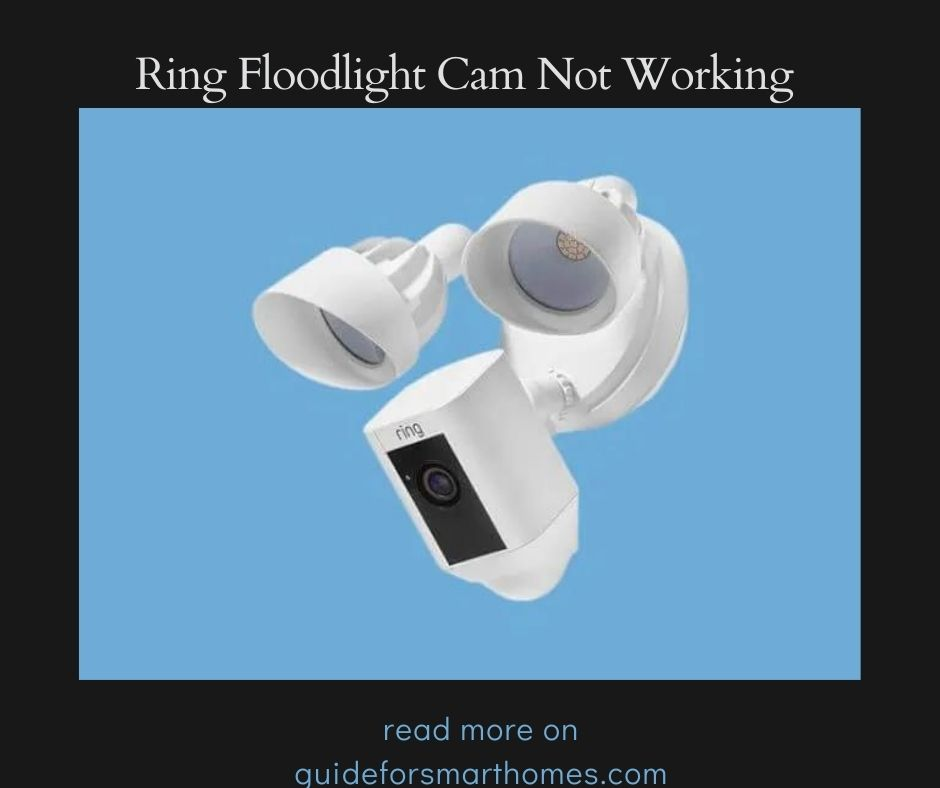
Ring floodlight camera provides your home with wider, clearer coverage. It helps to keep an eye on your property and reduce the crime rate to almost zero through motion detection and all this can be done through your steaming devices
Motion detection problems are more frequent than you might imagine, especially among novice users. Therefore, we have put together this simple step-by-step manual to assist you in getting your Ring floodlight camera working again!
Possible Causes of Ring Floodlight Cam Not Working
Even if the concept for the Ring Floodlight camera’s creation is excellent, the Ring Floodlight isn’t flawless when in use. For some reason, floodlight cameras can stop working. The prominent causes are listed below:
- Disconnection from power
- Poor Network connection
Inadequate or absent connections can be caused by a variety of factors, including intermittent power outages, poor current flow, and router malfunctions. The cable that connects the device and the router may also be at fault.
How To Fix Ring Floodlight Cam Not Working

You shouldn’t feel awful when your Ring floodlight camera stops working; instead, look into possible causes. Once you are certain of the reason, you may address the issue.
The most frequent cause of a Ring floodlight camera not working is a power outage. Make sure the following is properly linked to solving the problem caused by a power outage:
- Check your power source if it’s holding power
- Check if the power switch is not off, if it is then it’s time to switch it back on
It’s time to look for some clues on your Ring floodlight camera. When connected, they are made to emit specific signals. Check the following to ensure the Ring floodlight camera is connected to power properly:
- It comes with an inbuilt voice and this will alert you when it plugged into a power source
- At the bottom of the Ring flashlight cam, there will be flashes of light when contact with power is made
- The floodlight must power itself when connected to a major power source
- Ring floodlight camera comes with a motion sensor.. when plugged in, it’s time to check if the motion sensor is active. This can be done by walking by the sensor, if the light comes up then your Ring floodlight has made proper contact with the power source.
After all, power-related issues have been checked and fixed appropriately, if a network connection issue pops up check the following to restore the connection;
- Your router can accommodate more devices, check with other devices connected and be sure if they are also experiencing a connection problem
- Check if all USB cables are properly fixed into their expected ports
- If the problem persists, reset the router
Once all these things are checked and properly fixed, your network should be restored automatically.
How Do I Reconnect My Ring Floodlight?

It is just as simple to reconnect a Ring floodlight as it is to connect it for the first time. There are two ways to reconnect.
Your device will either request that you put it in setup mode, or if it is currently in setup mode, it will be activated when connected to power.
A light pinch should work if it’s not in setup mode. On the top of the Ring floodlight camera is a little button. When the button is long-pressed, setup mode is immediately activated.
Immediately after entering setup mode, it emits a wifi network for a very brief amount of time so that the ring application may connect to it.
As soon as your Ring app establishes a connection with the Ring floodlight camera, the wifi will cease its device-searching process.
An indicator-led light bulb is located at the bottom of the Ring floodlight camera. If the connection is successful, this bulb flashes.
Why Isn’t My Ring Picking Up Motion?
With the help of its built-in heat sensor detector, Ring can identify visitors based on their body temperature. It can apply this technique since the temperature of a room and a human body varies significantly.
Ring uses two distinct motion detection methods—one for the day and one for the night—to detect motion.
A Ring alarm system is designed to detect motion within 30ft of the camera. However, if your Ring system suddenly couldn’t detect motion it can be very annoying.
Here are some of the reasons why your Ring alarm system fails to identify motion;
- One of the major reasons why your Ring wouldn’t detect motion is frequently due to a disabled motion alert in the Ring application. This problem has been recorded to cause about 90% of all the motion detection issues
- Your camera could be the problem. Check and the sure that the camera is not damaged
- It might be due to the wrong position. Check your camera positioning, ensure is it not placed behind glass because this will hinder it from detecting changes in temperature
- Check the motion frequency setting. Open your app on Android or iOS, Check if it’s set to frequent, and retest from the three options provided
- The motion sensitivity. The motion sensitivity on the app can be either low or high depending on your preference. Choose the video by tapping the three horizontal lines in the top left corner of the Ring app. Decide on “Motion Settings.” The third selection on the menu is the motion sensitivity slider. To boost the motion sensitivity of your Ring doorbell and retest your camera, move it further to the right.
- Your Zone might not be covering enough display, check from your app and make necessary adjustments
- Is your device connected? This is important because your device will not detect motion if it is out of service or operating on a poor network
- Check if your mobile device is not on do not disturb
- Check your notification settings and be sure it is set to what you want.
How Far Does The Ring Floodlight Detect Motion?
Ring floodlight camera comes with advanced motion detection and a PIRs sensor designed to control the light and motion sensors of your camera.
Floodlight Cameras work with PIR sensors to identify heat generated by moving objects. Floodlight Cam’s camera can detect the motion of humans or animals that are within a 35 ft field of view.
Ring floodlight cameras can, however, also be installed at a height of 9 feet above the ground; anything higher may cause your camera to work poorly.
Your Ring floodlight camera will perform best and provide a broader field of view if you position it at this height. The best performance is compromised if your Ring floodlight camera is mounted too close to the ground.
Can You Manually Turn On The Ring Floodlight?
The Ring app, a piece of software that runs on mobile devices, is included with the Ring floodlight camera and is used to control the floodlight camera. The app includes all features you may want, including notification and scheduling.
However, there is no physical switch somewhere around the gadget that can be used to turn on your Ring floodlight. Moreover, there is manual light control on your app.
This is located just a little above the motion alert switch on your application’s main menu. Switch between this toggle to manually turn off and on the control.
It’s important to note that this toggle acts as a manual override on your system. It cancels out whatever settings you have on your ring app whether you have scheduled the light to be on or not. This function automatically turns on the light.
Video Guide
https://youtube.com/watch?v=QX_mQN72-Lg%3Ffeature%3Doembed
https://youtube.com/watch?v=0ZYogPrYUwk%3Ffeature%3Doembed
https://youtube.com/watch?v=wcq9O03ho2o%3Ffeature%3Doembed
Conclusion
One of the troubleshooting strategies we’ve covered above should be able to help you with whatever causes your Ring system failure to detect motion.
If you unintentionally turn off the motion alert on your device, that is the main reason why the motion sensors on your Ring doorbell won’t operate. Always check to see if motion alarms are turned on.










Leave a Reply